No matter whether you are a professional photographer or just a casual Instagram user, sharing photos online has become an art within itself. While Instagram has updated their app with more features, it’s still important to have third-party apps to bring your photos to the next level. Having a variety of options for editing or adding text to your photos shows that you are taking the time to make your photos the highest quality they can be.
While not all of the apps on this list are free, shelling out a couple dollars to make your photos pop is a bargain and will make a huge difference to your photos. If you’re looking to be taken seriously with your photos then you’ll want to have photo apps that will bring out the best of your pictures. To go from Instagram amateur to professional, make sure to download these seven photo editing apps for your iPhone:
VSCO (Free)
https://instagram.com/p/9_YeJtuJdJ/
With a sleek interface, VSCO is the app to have on your phone for more filters and better editing tools for your Instagram photos. VSCO gives you more control over your photos and the end result is a high-quality, professional look to all your photos that your Instgram followers are going to love.
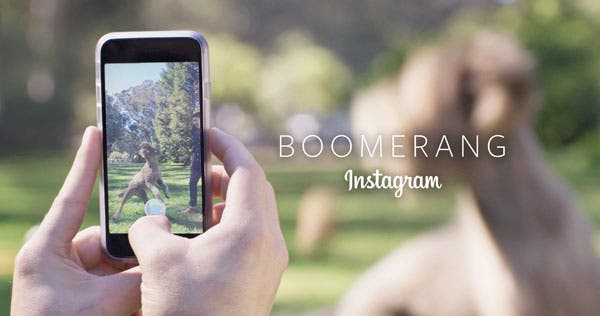
Boomerang (Free)
https://instagram.com/p/9JN1G8Mm0Z/
The newest app from Instagram creates quick GIFs from videos you can take on your phone. It’s a ridiculous simple app that anyone can use and since it’s created by Instagram, your GIFs will fit perfectly on your feed.
A Beautiful Mess ($0.99)

For those of you out there who want to create more whimsy in your Instagram photos look no further than A Beautiful Mess app. With the app, you can add text on top of your photos and customs filters. Small drawings and doodles are included in the app made by creators, Emma and Elsie who also run their own lifestyle and DIY blog, A Beautiful Mess.
Color Splash ($0.99)
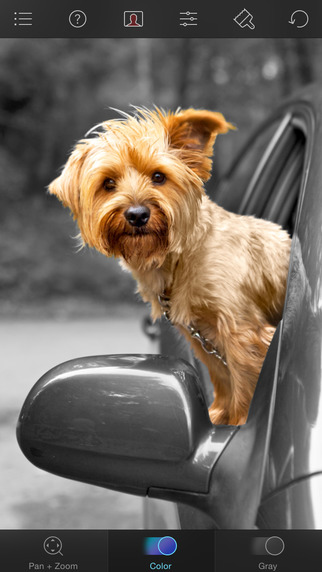
To really make your photos stand out on your Instagram feed, Color Splash turns your photos in black and white while letting you keep selected areas in color. With the contrast of black and white with color, your creativity can flow by creating dynamic photos through experimentation.
Word Swag ($3.99)
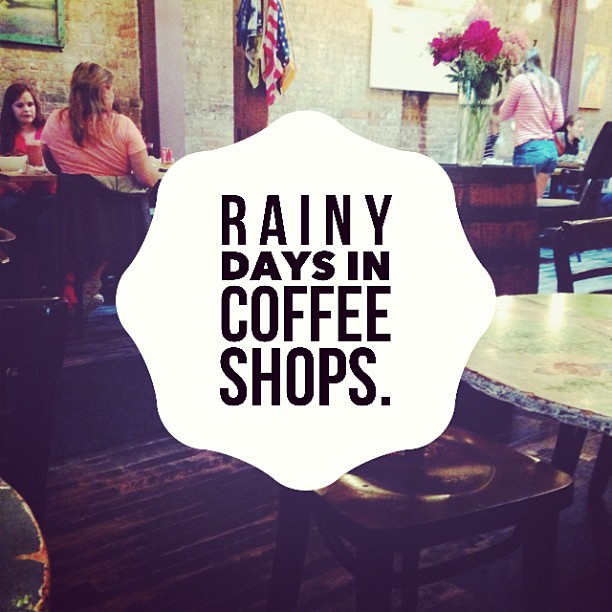
Described as a “graphic designer in your pocket”, the Word Swag app creates custom texts for your photos in a variety of different fonts and sizes. This app makes adding text to your photos incredibly easy and you’ll find yourself creating new designs in minutes, rather than hours.
Afterlight ($0.99)
https://instagram.com/p/9yWzfqikSd/
Any dedicated Instagram user has at least two impressive apps for editing their photos for sharing online. With 74 unique filters, 78 natural textures, and 128 frames, the Afterlight app is a powerhouse in photo editing for your Instagram photos and gives a variety of options, so your photos will not look the same again.
Lenka (Free)
https://instagram.com/p/6evFNVM3dS/
If you want your photos to be in black and white, your pictures will come out better if you take them in black and white first. While it might seem impossible on your smartphone, the Lenka app does that for you and while letting you adjust the contrast and exposure. By choosing to take your photo in black and white, you can capture a location differently and truly make your photo unique.